Payment
Summary: XBRUSH uses a credit-based billing system. Choose from Basic, Plus, or Pro subscription plans — or purchase credits directly. Billing currency is automatically set based on your region (KRW for Korea, USD for international). All payments are processed via Stripe. Annual billing comes with a 20% discount.
What Are Credits?
Credits are the billing unit used when performing AI tasks in XBRUSH, such as generating images or videos. The number of credits deducted varies depending on the type and quality of the task. You can replenish credits through a subscription or by purchasing them directly.
Currency & Payment Region
XBRUSH automatically detects your region and displays prices in the appropriate currency:
| Region | Currency | Payment Processor |
|---|---|---|
| Korea | KRW (₩) | Stripe |
| International | USD ($) | Stripe |
No manual selection is required — currency is set automatically when you access the payment screen. If you believe the wrong currency is shown, try clearing your browser cache or contact support.
Go to the Payment Screen
- Click the credits icon in the upper left to open the purchase popup.
Payment Overview
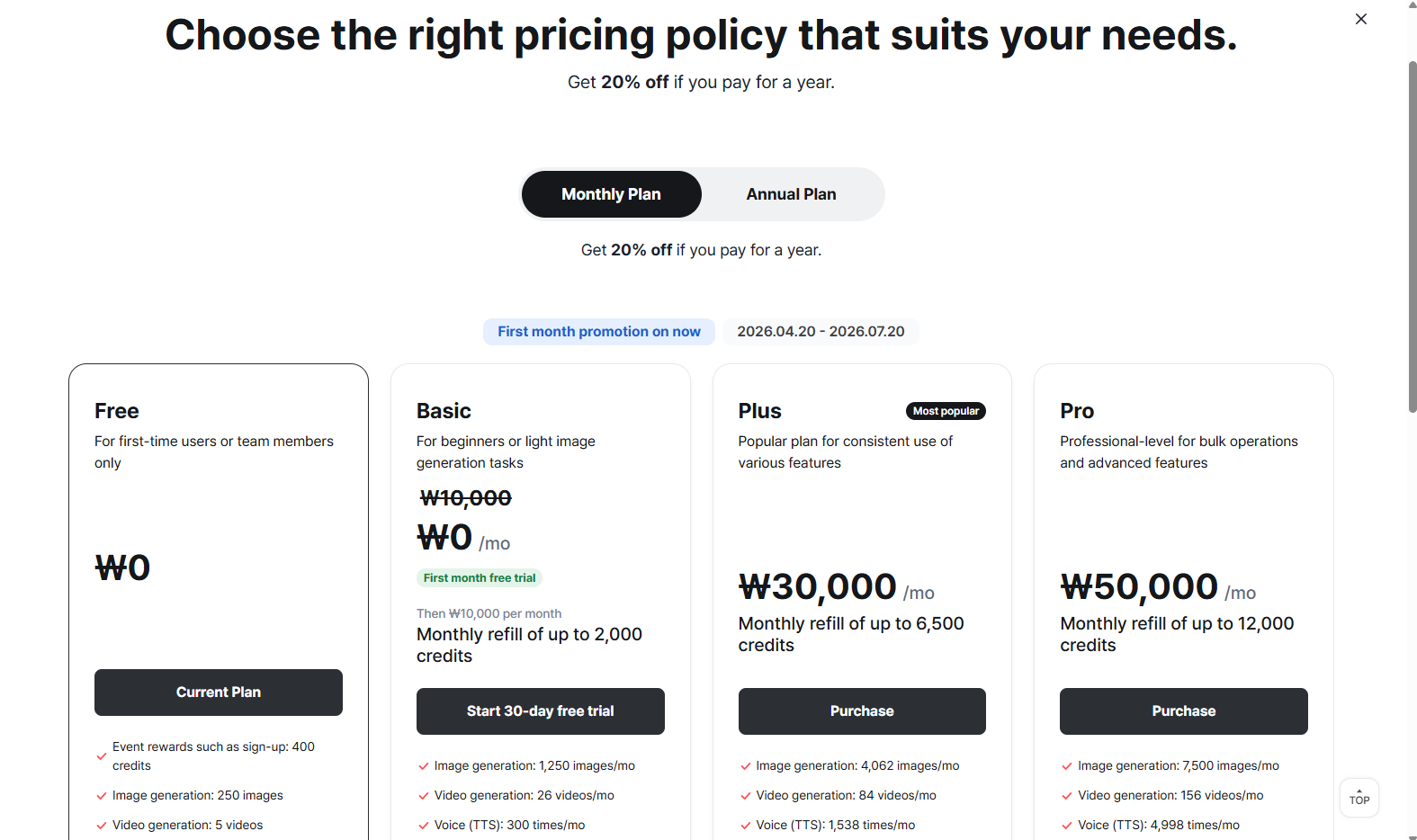
Key features and usage of the payment screen.
- Subscription: Pay on a monthly or annual basis. This is the recurring subscription payment method.
- Credit Purchase: Buy credits for use in generation.
Subscription Plans
XBRUSH offers three subscription plans. For current pricing, visit the pricing page.
| Plan | Credits / Month | Best For |
|---|---|---|
| Basic | 2,000 | Individuals with regular generation needs |
| Plus | 6,500 | Power users with high-volume generation |
| Pro | 12,000 | Professionals and teams requiring maximum output |
Annual billing comes with a 20% discount on all plans.
For team purchasing options, please contact us directly.
Payment Methods
XBRUSH supports the following three payment methods:
- Credit/Debit Card — Visa, Mastercard, and other major cards
- Naver Pay — Available for Korean users
- Kakao Pay — Available for Korean users
Credit Card Payment
You will be directed to the secure payment page. Enter your card number, expiration date, CVC, and billing address to complete the payment. All major credit and debit cards are accepted.
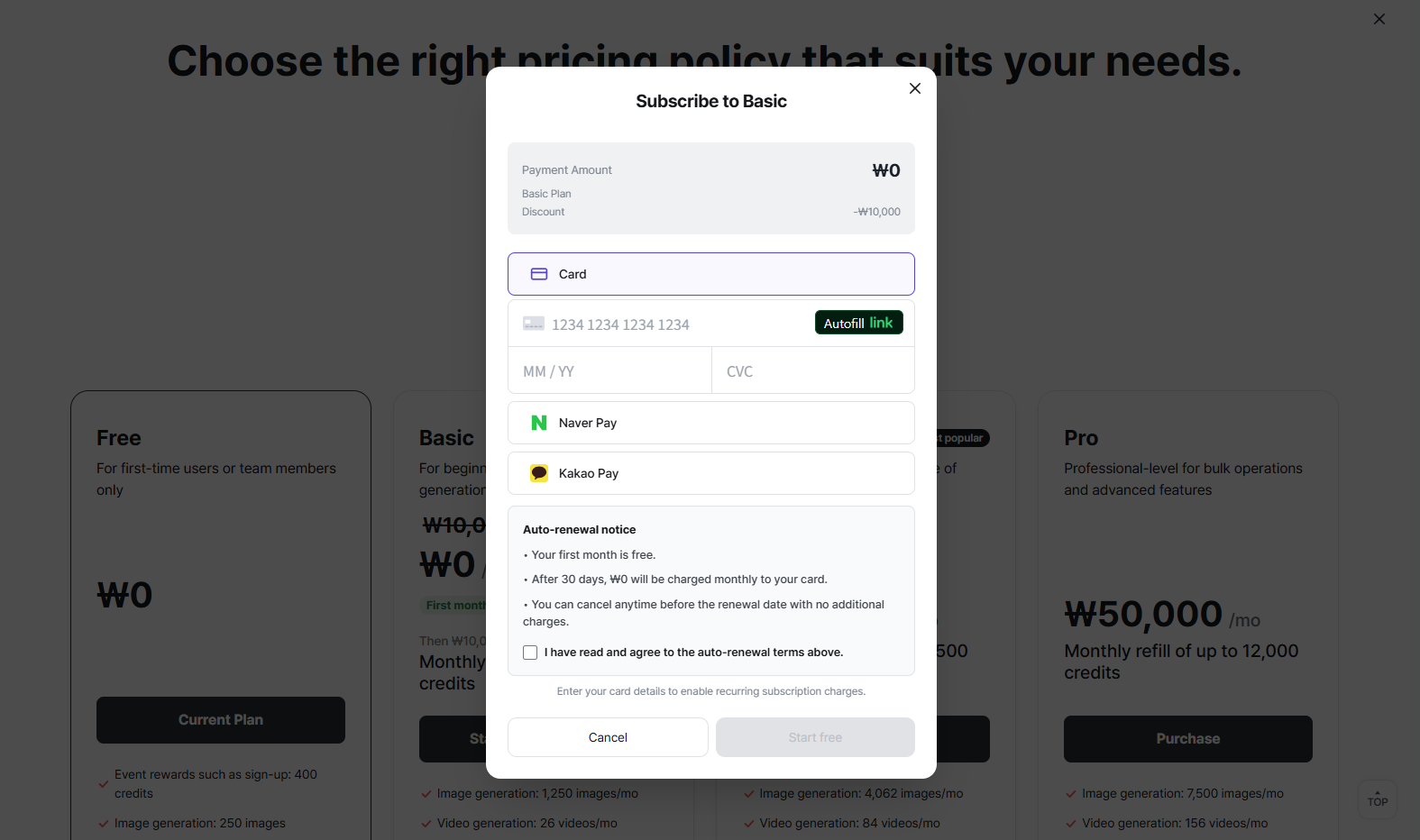
Payment screen.
Subscription Information
- You can view your current subscription details in the purchase popup.
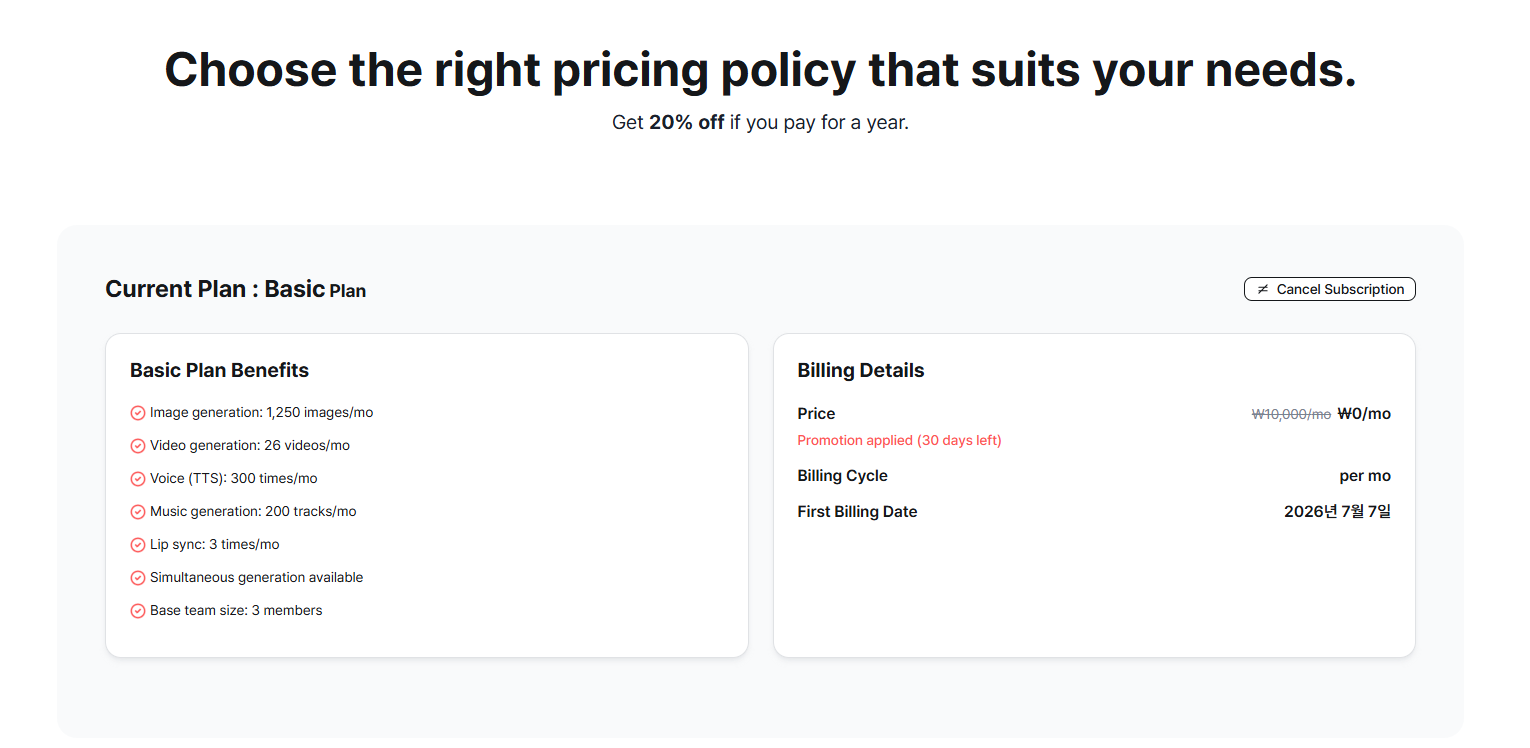
Subscription information.
Manage Your Subscription
- You can check your active subscription and upgrade or downgrade your plan at any time.
- When changing a subscription, you will be offered two options: apply the change immediately, or apply it from the next billing date.
- Immediate changes take effect right away.
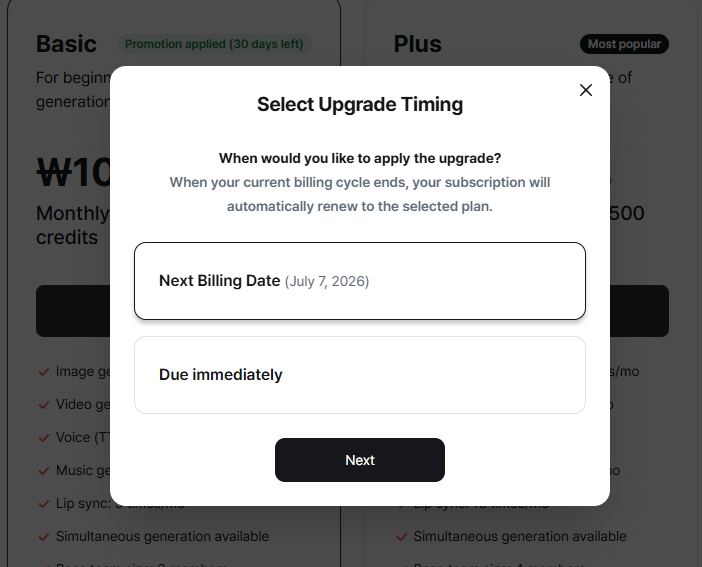
Subscription change (upgrade).
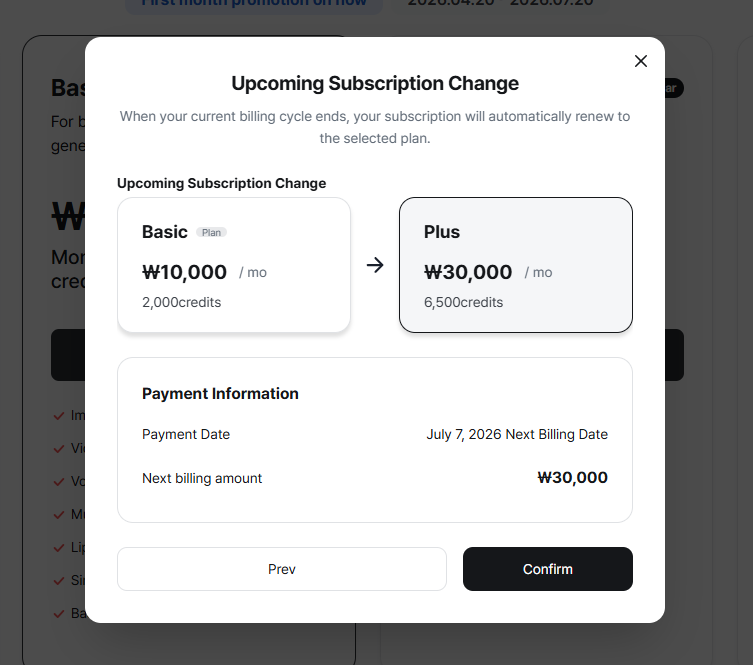
Subscription change (upgrade).
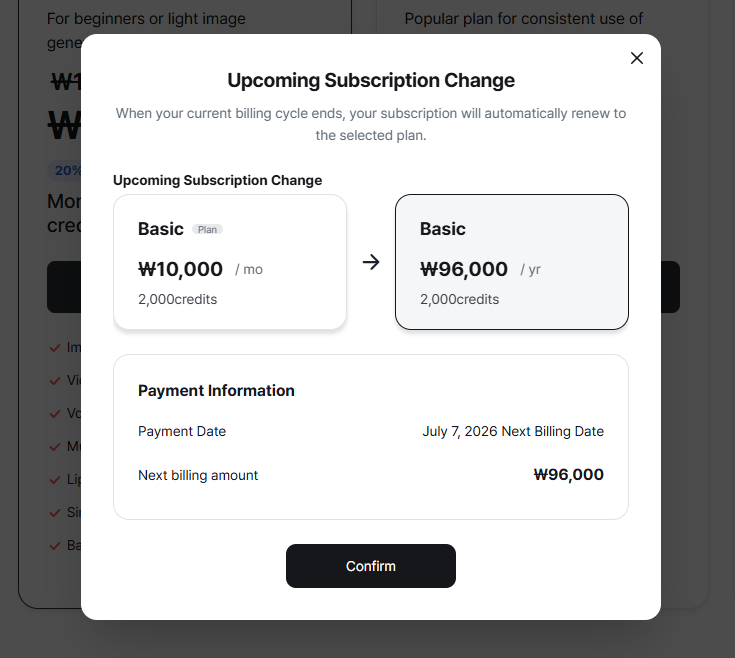
Subscription change (upgrade).
Payment Notifications
- Recurring subscription payments are processed automatically. You will be notified by email before each automatic payment is charged.
Coupons
To apply a discount, use the coupon input field on the payment screen and enter your coupon code. Each coupon has its own terms (e.g., first-time use only, expiry date). Contact support if your coupon is not being accepted.
Refund Policy
Refunds are only available within 7 days of payment and only if no credits have been used. Even consuming a single credit makes the purchase ineligible for a refund. To request a refund, contact contact@lightweight.kr with your payment date and amount.